
DMA Card
Data Port Driver Setup (2nd PC)
🔍 Check Your Current Driver Status
- Open Device Manager
- Look for one of these scenarios:
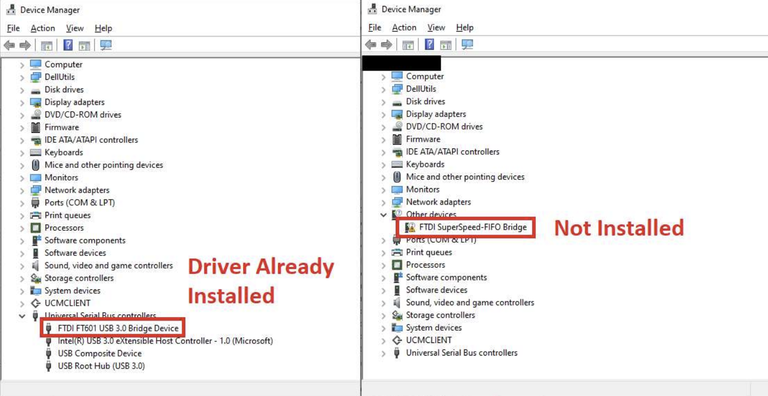
Correct Driver (No action needed)
- Device: FTDI FT601 USB 3.0 Bridge Device
- Status: Working properly → Skip this guide
Missing Driver (Install now)
- Device: FTDI SuperSpeed-FIFO Bridge
- Status: Exclamation mark → Proceed below
Wrong Driver (Remove first)
- Action: Right-click → Uninstall device → Check 'Delete driver'
⚙️ Driver Installation
Step 1: Download
FTD3XX Driver v1.3.0.10Step 2: Install
- Extract zip
- Run installer
- Follow wizard and restart
✅ Installation successful. Proceed with DMA testing.